Apple packs far more power into your iPhone than most realize. These 15 expert hacks unlock hidden productivity, creativity, and control.
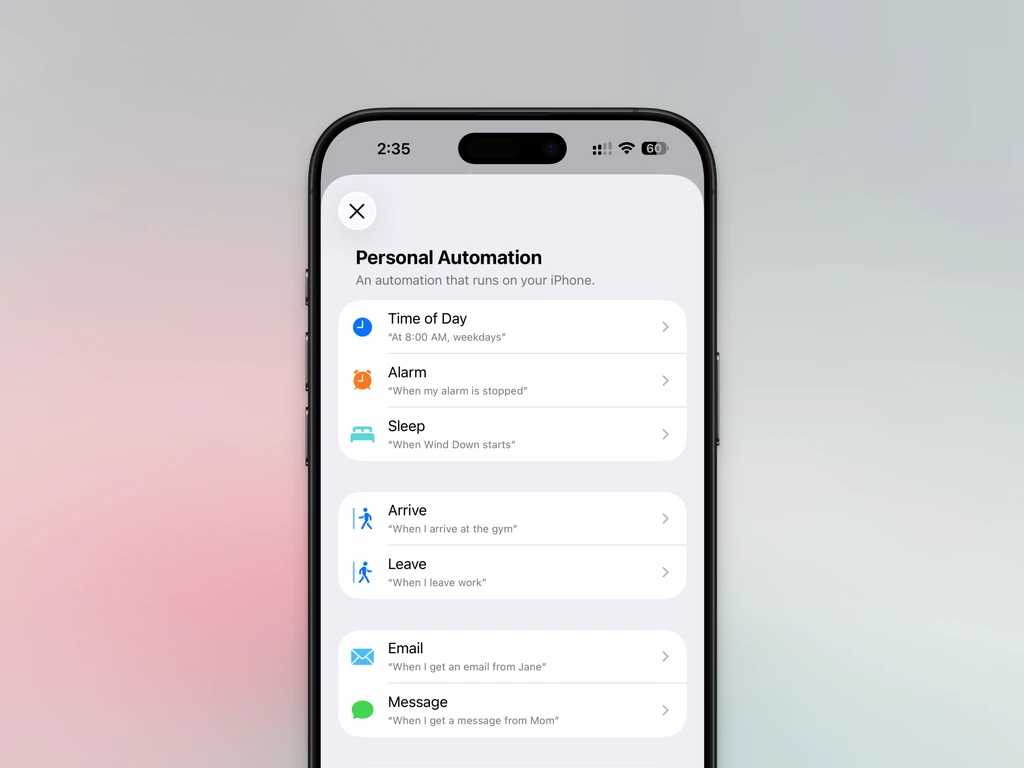
Automate Everything with Shortcuts: Create custom workflows-like auto-enabling VPN on departure or sending ETA texts. Explore community-built automations for deeper customization.
Custom Widgets Redesign Your Home Screen: Use Widgetsmith or Widgy to build aesthetic, functional widgets for weather, tasks, appointments, and more.
Hide Cluttered Home Pages: Long-press home screen, tap Edit > Edit Pages. Deselect unwanted pages to declutter instantly.
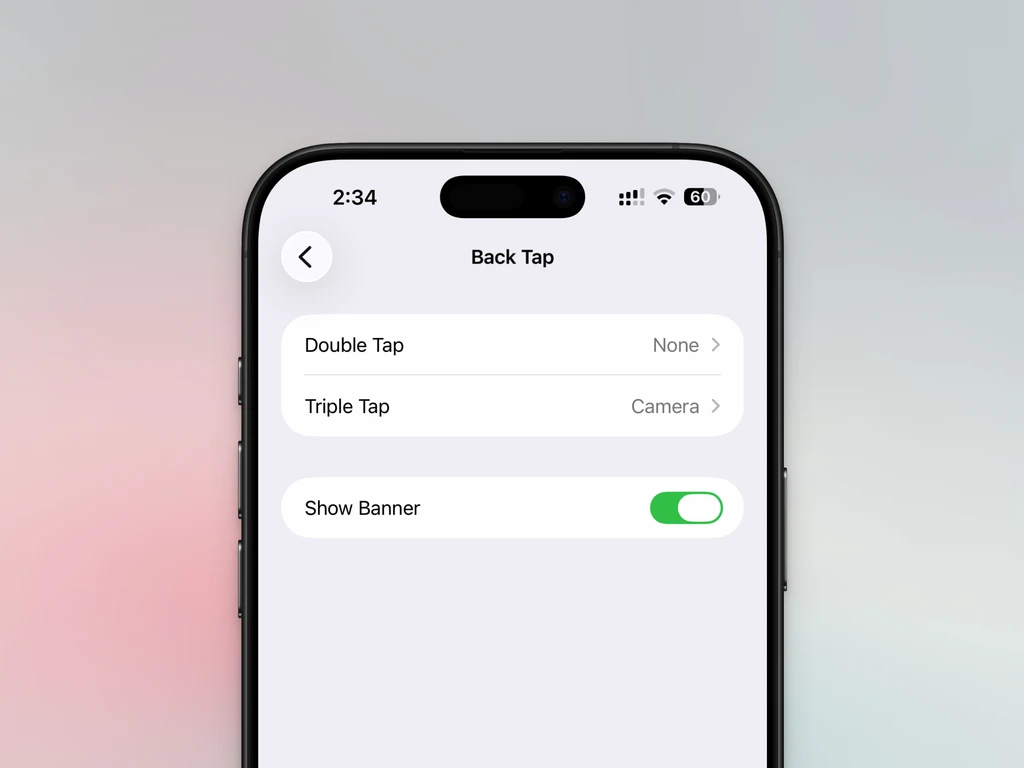
Back Tap = Hidden Button: In Settings > Accessibility > Touch > Back Tap, assign triple-tap to open camera, launch shortcuts, or mute audio reliably.
Voice Isolation for Crystal Calls: During calls, open Control Center > Phone Controls > Voice Isolation. Blocks construction noise, AC hum-even rivals AirPods ANC.
Safari Extensions Power Up Browsing: Install dark mode enforcers, ad blockers, or Reddit enhancers. Unlock desktop-level control on mobile.
Drag & Drop Across Apps: Select files, lift with one finger, add more items with another. Keep holding, switch apps via Home, then drop anywhere.
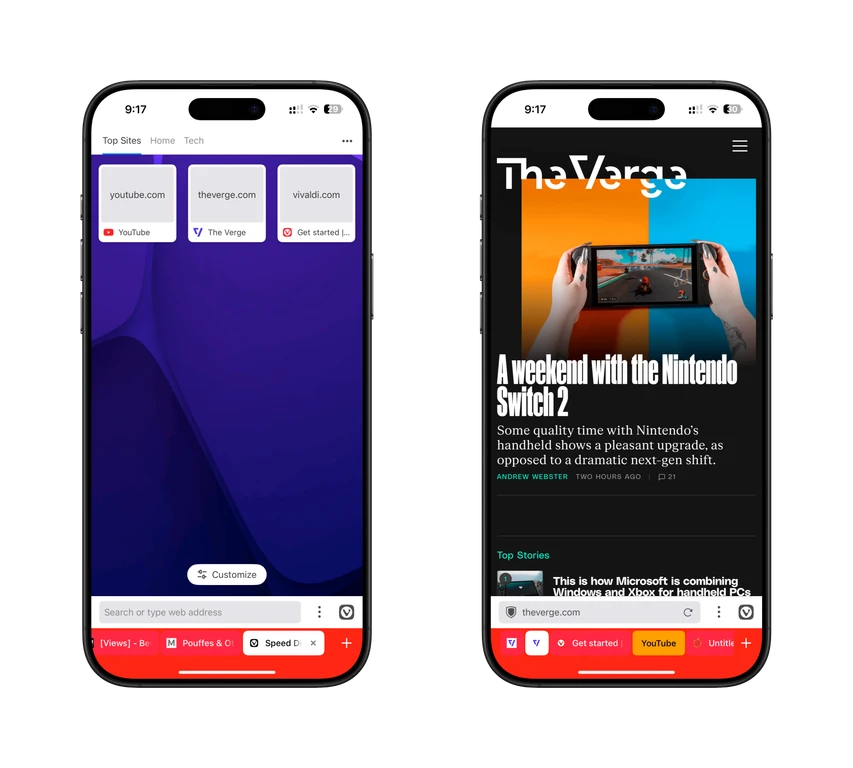
Switch to Vivaldi or Orion: Though built on WebKit, third-party browsers offer tab groups, pinned tabs, and Chrome/Firefox extension support Safari lacks.
Focus Modes Reshape Your iPhone: Customize Work, Sleep, or Personal modes to hide apps, filter notifications, and trigger automations by location or schedule.
Live Text Turns Photos Into Actions: Tap the “Text” icon in Photos or Camera to copy, call, map, or translate text pulled from images or real-world scenes.
Master Hidden Gestures: Swipe left edge to go back. Pinch three fingers to copy; double-pinch to cut; spread to paste. Two-finger swipe down selects lists fast.
Keyboard Shortcuts Save Time: Set “adrs” to expand to full address. Enable one-handed mode. Slide-to-type works great single-thumb. Space bar = trackpad.
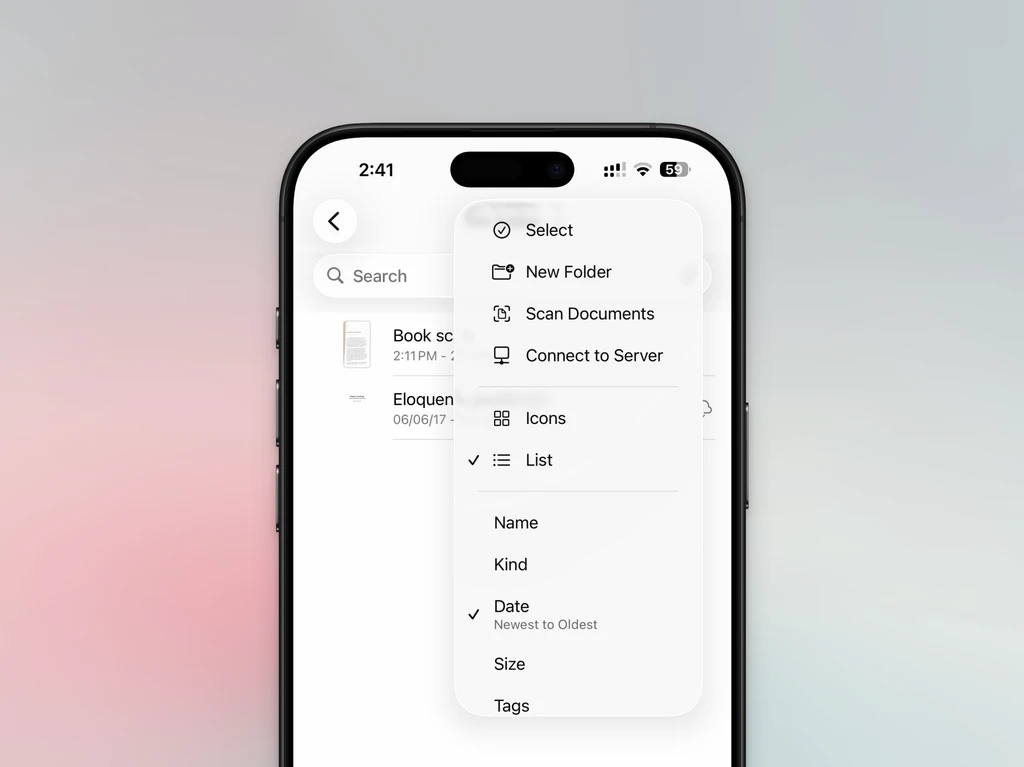
Built-In Document Scanner: In Files app, tap Menu > Scan Documents. Auto-captures pages, saves as PDF directly to any folder-no third-party app needed.
Guided Access Locks Down Apps: Settings > Accessibility > Guided Access. Triple-press Side button to lock kids or guests into one app-disable touch, keyboard, or set timers.
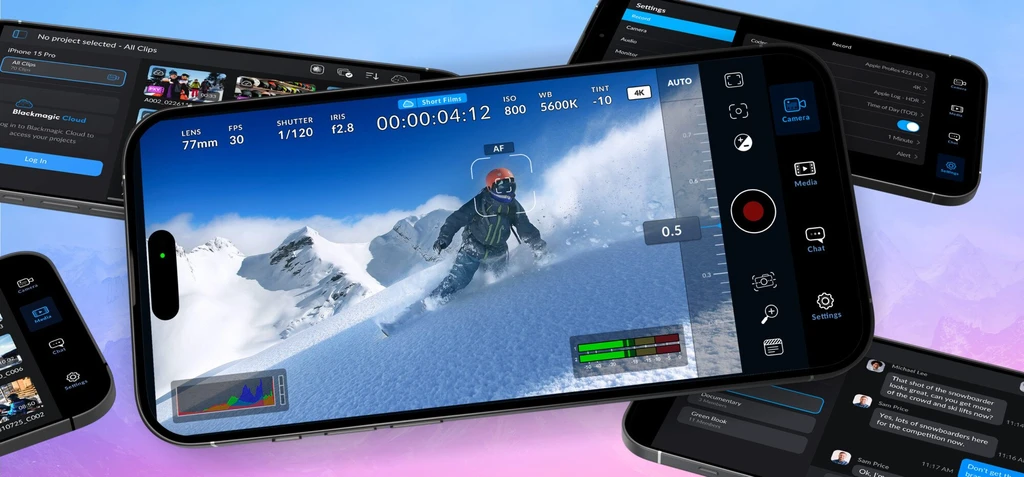
Pro Cameras Demand Pro Apps: Skip Apple’s computational processing. Use Blackmagic Camera for Log/ProRes video or Halide Mark II for RAW manual photo control.
These aren’t tweaks-they’re transformations. Your iPhone is capable of far more than you’ve been using.