
Spotify is rolling out a new feature that allows users to completely disable videos within its app. This update goes beyond previously available options, enabling users to turn off music videos, canvas animations, and all other video content, effectively returning the platform to an audio-only experience.
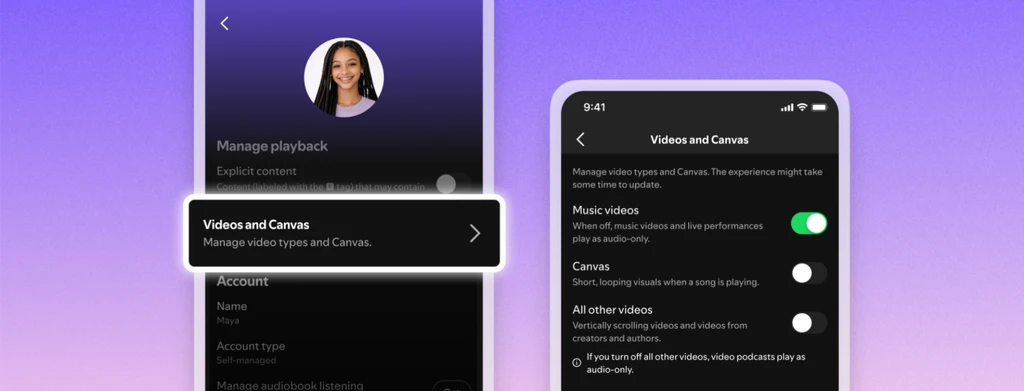
The new controls are available to both free and premium users. To disable videos, users can navigate to Settings and privacy > Content and display within the Spotify mobile app and toggle off "Music videos," "Canvas," and "All other videos." Similar settings can be found in the desktop app under Settings > Display.
For family plan managers, video settings can be adjusted for individual profiles within the "Manage" section of "Your Premium" settings. Once applied on one device, these preferences will sync across all logged-in devices.
It is important to note that this feature does not extend to disabling video advertisements or looping videos that may accompany some audio ads.